Export Limits
Last updated: August 27, 2026
Context
When running large searches, you may find that your results exceed 5,000 records. This article explains the export limits in place and how to work within them to download all the results you need.
Answer
For data security purposes, the system has the following export limits:
Per download: Up to 5,000 results can be selected and exported at one time.
Per day: Up to 20,000 results can be exported per user, per day.
When selecting results, you have two options:
Select the current page of results.
Select all results in your search, up to 5,000.
There is no option to select a custom number of results between 100 and 5,000.
If your search returns more than 5,000 results, the recommended approach is to break your search into smaller searches using additional filters so that each individual search returns fewer than 5,000 results. Useful filters to narrow down results include:
Location – filter by city or state
Practice Area – filter by a specific area of law
JD Year (Graduation Year) – filter by a range of graduation years
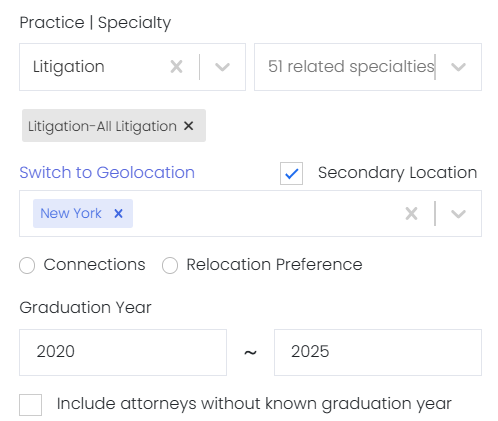
For example, if you are searching for Litigation attorneys in New York, you could add a JD Year range (e.g., 2020–2025) to bring the results under 5,000.
For more guidance on using the platform, you can also visit the video tutorials.